RK Worlds GCash Deposit Not Showing: How to Track and Resolve Missing Payments
RK Worlds GCash Deposit Not Showing: How to Track and Resolve Missing Payments
Sending a GCash deposit to RK Worlds and not seeing it in your casino balance can be frustrating, especially when you're ready to play. Most deposit delays are temporary and resolve within minutes, but knowing how to trace your payment and when to contact support saves time and prevents costly mistakes like sending a second deposit too soon.
This guide walks through exactly what to check on your phone, how long to wait, and the steps to escalate if your GCash payment still hasn't appeared in your RK Worlds account.
Check Your GCash Transaction History for Successful Payment Confirmation
Before contacting RK Worlds support or attempting another deposit, confirm that GCash successfully processed your payment on their end.
Open the GCash app and follow these steps:
- Tap the menu icon (three horizontal lines) in the top left corner
- Select "Transaction History" or "My Transactions"
- Look for your most recent payment to RK Worlds
What to check in your transaction record:
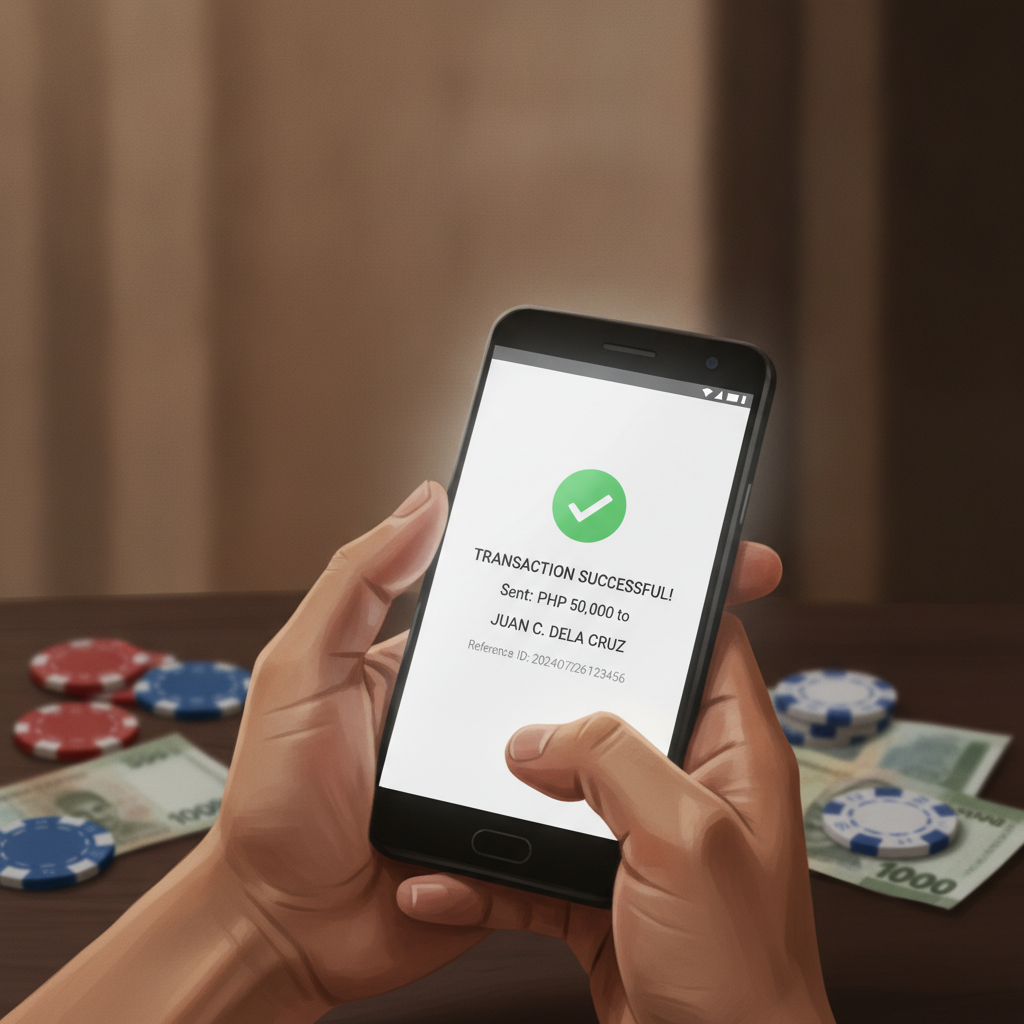
- Transaction status: It should say "Successful" or "Completed" in green. If it shows "Pending" or "Failed," the money has not left your GCash wallet yet
- Amount sent: Verify the exact peso amount matches what you intended to deposit
- Date and time: Confirm the timestamp—if the transaction is several hours old, it's more likely to need support follow-up
- Reference number: This is the most important detail. It's a unique alphanumeric code (often 12–15 digits) assigned by GCash to every completed payment
If the transaction shows as "Failed" or "Declined," the funds were never deducted from your GCash wallet. You can attempt a new deposit. Common reasons for failed GCash payments include insufficient balance, daily transaction limits, or temporary server issues on GCash's side.
If the status is "Pending," wait at least 15–30 minutes before taking further action. GCash sometimes marks a payment as pending while their system completes verification. Do not send a duplicate deposit while a transaction is pending.
If the status is "Successful" but your RK Worlds balance has not updated, proceed to the next steps.
How Long Deposits Take to Reflect in Your RK Worlds Casino Balance
GCash deposits to RK Worlds are typically instant or near-instant, but processing times can vary depending on several factors.
Expected timeframes:
- Instant to 5 minutes: Most GCash deposits appear in your RK Worlds account within this window during normal operating hours
- 5 to 15 minutes: Occasional delays happen during peak hours (evenings and weekends) or when payment gateways experience high traffic
- 15 to 60 minutes: Less common, but can occur during scheduled maintenance, GCash system updates, or heavy server load on RK Worlds' payment processor
Factors that affect processing speed:
- Time of day: Deposits made late at night or very early in the morning may take longer if automated crediting systems are in reduced-capacity mode
- GCash server status: If GCash is experiencing technical issues or maintenance (check their official social media for announcements), payments may be delayed on their end before reaching RK Worlds
- Payment gateway intermediaries: RK Worlds uses third-party payment processors to handle GCash transactions. Delays sometimes occur at this middle layer, even when both GCash and RK Worlds are operating normally
- First deposit from a new GCash account: Occasionally, the first-ever deposit from a newly registered GCash account to RK Worlds may take longer as the payment processor runs additional verification
What to do during the wait:
Refresh your RK Worlds account balance by logging out and logging back in, or by closing and reopening the RK Worlds app. Sometimes the balance display on your phone's app or browser does not auto-update, even though the deposit has been credited on the backend.
If it has been less than 15 minutes since your GCash transaction showed "Successful," continue waiting. Avoid repeatedly attempting to make new deposits during this window.
Using Your GCash Reference Number to Trace the Payment with Support
If more than 30 minutes have passed since your GCash transaction was marked successful and your RK Worlds balance still has not updated, contact RK Worlds customer support with your payment proof.
How to reach RK Worlds support:
- Live chat: Available through the RK Worlds website or app, usually the fastest option
- Email support: Check the RK Worlds website for the official support email address
- Social media messaging: Some players report success contacting RK Worlds through their official Facebook or Telegram channels, though live chat is generally more reliable
Information to provide when you contact support:
- GCash reference number: This is the single most important piece of information. Support uses it to trace the payment through the processor
- Exact deposit amount in pesos: For example, "PHP 300.00"
- Date and time of the GCash transaction: Copy this from your GCash transaction history
- Your RK Worlds username or registered mobile number: So support can locate your account
- Screenshot of the GCash transaction: If possible, take a screenshot showing the "Successful" status and reference number. Some support teams ask for this as proof
What to expect from support:
The support agent will escalate your case to the payments team, who will use your GCash reference number to check whether the payment reached their processor and whether it was credited to the correct RK Worlds account.
Typical resolution times after contacting support:
- Immediate to 1 hour: If the payment is already in their system but was not automatically credited, support can often manually add it to your balance quickly
- 1 to 24 hours: If the payment needs investigation with the third-party processor or GCash, resolution may take longer
- Rare cases beyond 24 hours: If GCash and the payment processor have conflicting records, full resolution can take a few business days. Support should provide updates during this period
Keep your GCash transaction screenshot and reference number saved on your phone until the issue is fully resolved.
Avoiding Duplicate Deposits While Waiting for Balance to Update
One of the most common mistakes players make when a GCash deposit does not show immediately is sending a second or third deposit in an attempt to "fix" the problem. This usually results in a larger-than-intended total deposit once all transactions process, and it complicates the support process.
Why duplicate deposits happen:
- Panic or impatience: Players assume the first deposit failed and try again without checking GCash transaction history
- App refresh issues: The RK Worlds app or mobile browser does not update the balance display, leading the player to think the deposit never arrived
- Poor communication: Some players do not realize that delays of 10–20 minutes are normal during peak hours
How to avoid sending duplicate deposits:
- Always check GCash transaction history first: If the first deposit shows "Successful," do not send another payment
- Wait at least 30 minutes before attempting a new deposit: Give the payment processor time to complete the crediting
- Log out and log back in to RK Worlds: Force the app or browser to refresh your balance from the server
- Contact support before depositing again: If you are unsure whether the first deposit went through, ask support to check before sending more money
What to do if you already sent a duplicate deposit:
If you accidentally sent two or more GCash deposits before the first one appeared, all of them will likely be credited to your RK Worlds account eventually. Check your transaction history for each GCash reference number and provide all of them to support if you need help tracking multiple payments.
You can withdraw excess funds from your RK Worlds account once the deposits clear, but be aware of any wagering requirements or withdrawal limits that apply to deposited amounts.
21+ Only and Responsible Gambling
RK Worlds is for players aged 21 and over only. If waiting for a deposit to appear is causing stress or prompting you to spend more than you planned, take a break. Only deposit what you can afford to lose, and never chase losses by making additional deposits. For responsible gambling support in the Philippines, contact the National Council on Problem Gambling or use RK Worlds' deposit limit and self-exclusion tools.
In summary: Most GCash deposits to RK Worlds appear within minutes, but delays of up to 30 minutes can happen. Always check your GCash transaction history for a "Successful" status and reference number before contacting support. Avoid sending duplicate deposits while waiting, and reach out to RK Worlds customer service with your GCash reference number if the delay exceeds 30 minutes. Keep records of all transactions until your balance updates.